
Sharing and cloud connections
Sharing conversations and reports
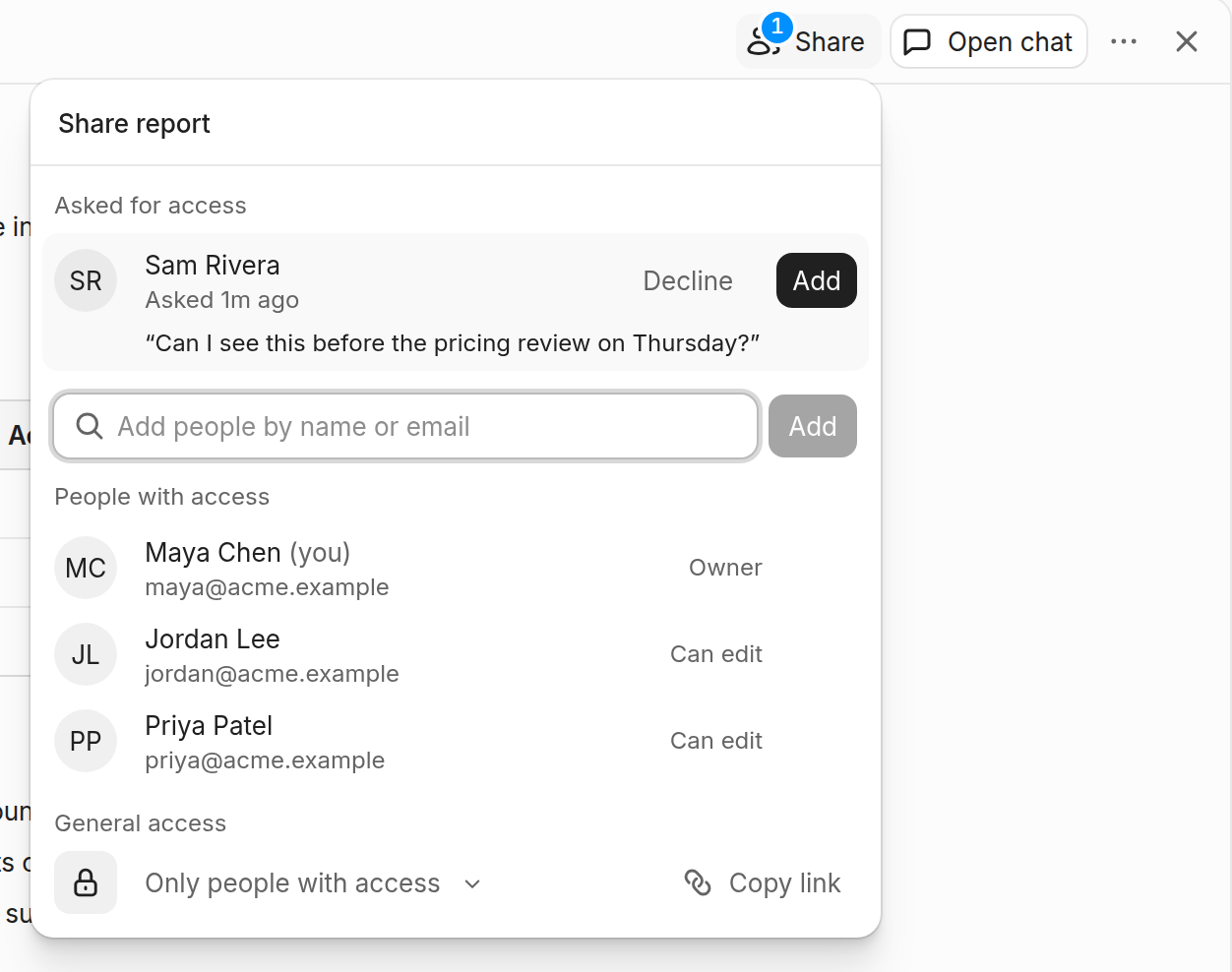
New conversations you start in the Indent app are shared with your team again, as they were before October 21. Anything you started as private stays private, and conversations on your own computer are always private.
You decide who sees each one:
- Before you start: click Share to make the conversation private or invite people.
- While you work: @-mention a teammate who isn't in it, and Indent offers to add them.
- When you add someone: they get a Slack DM with the link.
- No access? Open the link and ask. Someone in the conversation approves it from Slack.
- Later: Share at the top of the conversation changes who can see it.
Reports work the same way. The report's owner gets access requests in Slack and in the Share menu.
Connect your cloud accounts
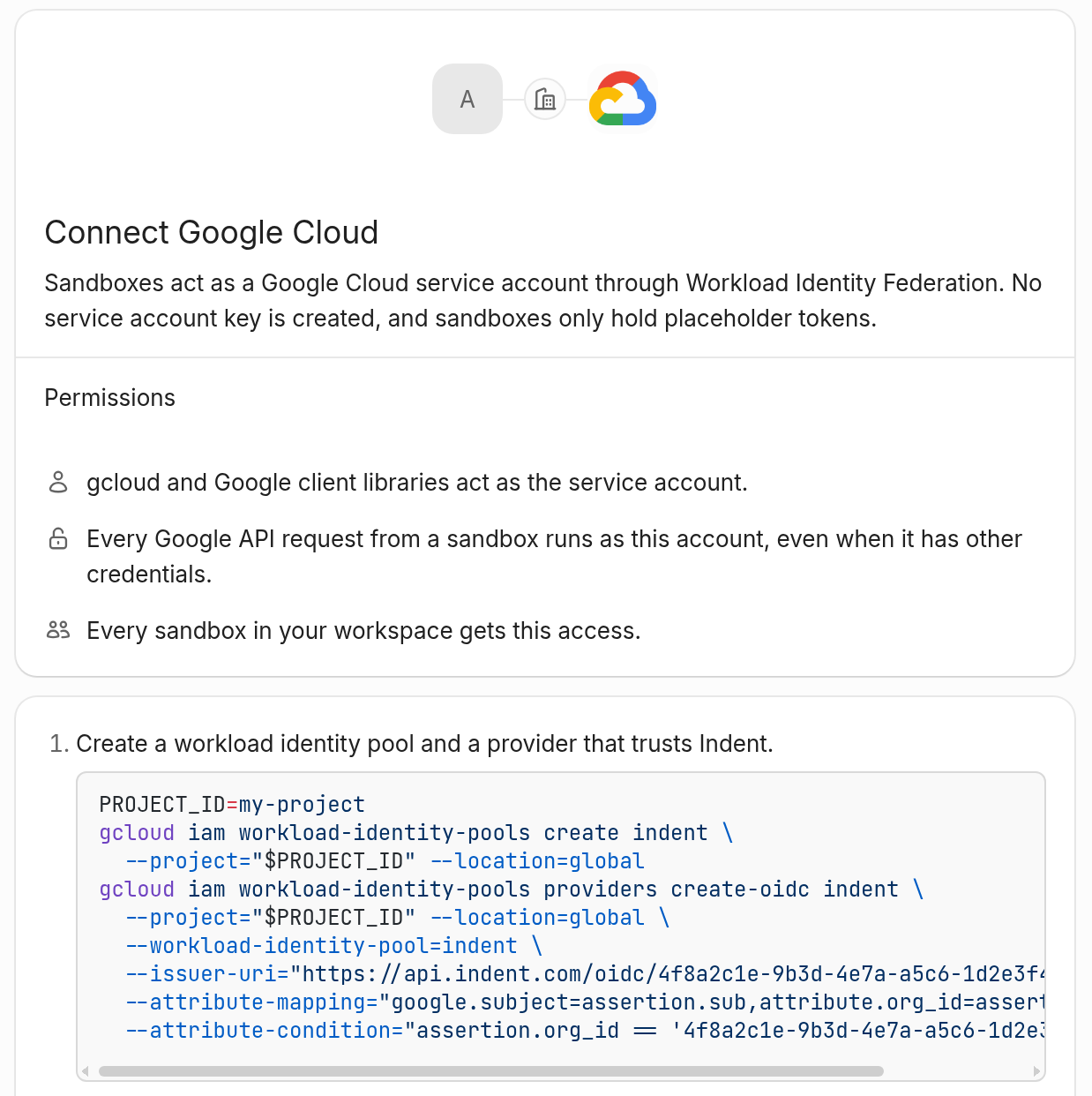
Indent can now work in your Google Cloud, AWS or Azure account, and with HashiCorp Vault or any OIDC provider. You don't paste in any keys. Indent gets short-lived credentials each time it needs access, and the connection page in Integrations gives you the setup commands. Need to change something later? Edit it on the same page.
Weekday schedules
Automations can run Monday to Friday only. Pick Weekday and a time when you set the schedule. Schedules you already set up that way show as Weekday too.

Slack automations can answer guests
Turn on Include guests on a Slack channel trigger, and a new post from a Slack guest starts a run like anyone else's. It's off by default. Guests' thread replies and @mentions still don't start one.

A new Integrations page
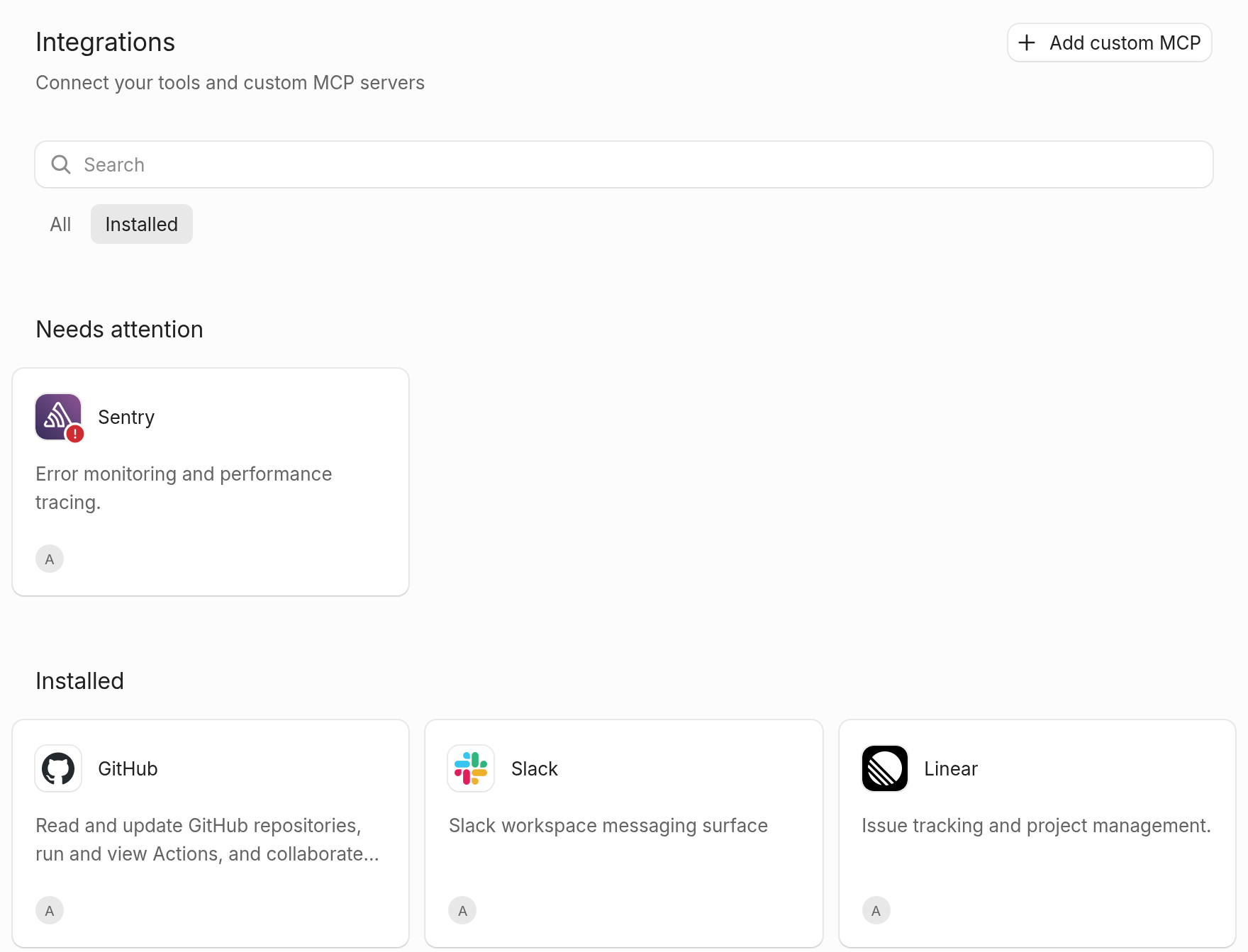
Integrations opens on an overview now, with everything you can connect in one place. Switch to Installed to see what you already use. Anything that needs fixing is at the top.
Also this week
- New integrations: Asana, CircleCI and Graphite. With Graphite, pull requests Indent opens land in your stacks.
- Custom MCP servers: OAuth client credentials, public OAuth clients with no secret, a custom token prefix, and several connections to one endpoint.
- GPT-6.1 Terra is in the model picker.
- In ⌘K, ⌥↵ shows a row's actions and ⌘↵ opens it in a new tab.
- Tired of unread markers from a conversation? Unsubscribe in its menu.
- Folders paste into the composer like they drop, and pasted text opens in the side panel.
- The desktop app has a right-click menu, and Indent links open inside it.
Start building today
Start on your Mac. From the first task, you're building the coworker your team will use.