
Reports and finer code review controls
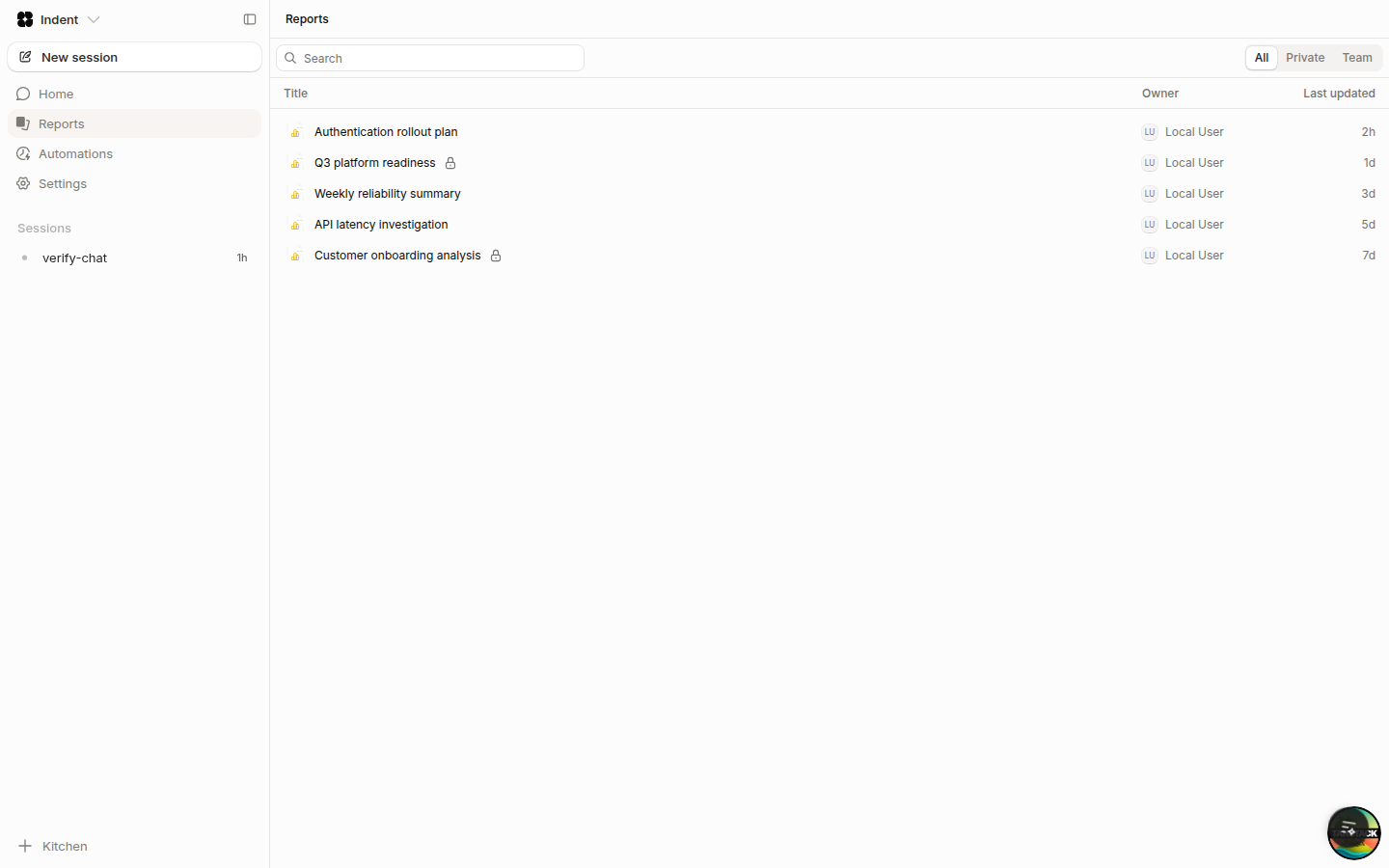
Publish reports
You can now ask Indent to publish a report when the result of an automation or session needs a durable document. Reports have their own section in the app, and you can leave feedback by selecting text within a report.
In Slack, reports are shared as a Slack canvas. Existing Slack connections must reconnect to grant canvas access.
Control which branches get automatic reviews
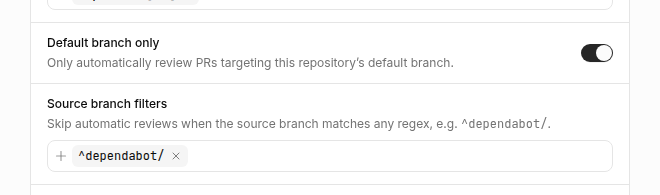
Under Settings → Code Review, you can now limit
automatic reviews to pull requests targeting the default branch. You can also add source branch
patterns that Indent should skip. Explicitly request a review by tagging @indent to override these
rules.
Set organization defaults
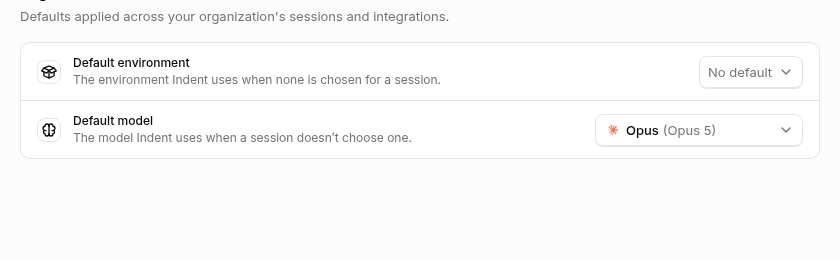
Organization admins can now choose a default environment and model under Settings → Organization Defaults. New sessions use these defaults when no environment or model was selected explicitly.
See automation usage
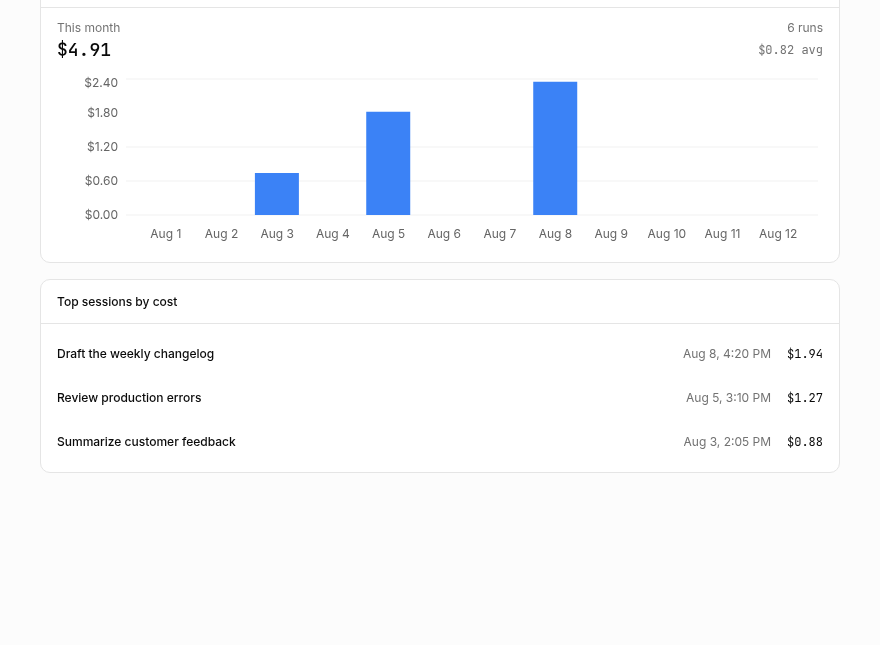
Each automation now has a Usage tab with month-to-date spend, a daily cost chart, the average cost per run, and its most expensive sessions.
Improvements
- The Review tab is now available to every viewer in a session. It shows working changes and pull request changes side by side without leaving the session.
- The desktop app now shows Browser and Processes tabs for cloud sessions.
- You can ask Indent to use a specific supported model for an automation. Automations default to the organization or platform default model.
- Automation runs can be titled according to standing guidance, such as copying an alert name and dropping timestamps or IDs.
- Reports load more results as you scroll, keep filters while you navigate, and show which session published each version.
- Settings now has mobile navigation.
Fixes
- Report ZIP exports bypass stale browser caches, and invalid or blank report IDs produce a clear error.
- Slack report links show the report title and link back to the report in Indent.
- The Review file tree keeps long directory names readable and no longer resets while a session writes files.
- The environment setup page no longer reports an absent build as still building.
- Empty thinking and assistant rows no longer appear in session transcripts.
Bring Indent to your whole company
Start on your Mac. Bring in the rest of your team when you are ready.